HoneyHive is a comprehensive AI observability platform that helps you monitor, evaluate, and improve your LLM applications. When combined with Portkey, you get powerful observability features alongside Portkeyβs advanced AI gateway capabilities.
This integration allows you to:
Automatically trace all LLM requests through Portkeyβs gateway
Use Portkeyβs 250+ LLM providers with HoneyHive observability
Implement advanced features like caching, fallbacks, and load balancing
Maintain detailed traces and analytics in both platforms
Quick Start Integration
HoneyHive automatically traces requests to popular LLM providers, making the integration with Portkey seamless. Simply initialize HoneyHive and point your LLM clients to Portkeyβs gateway.
Installation
pip install portkey-ai honeyhive openai
Basic Setup
from openai import OpenAI
from honeyhive import HoneyHiveTracer, trace
# Initialize HoneyHive tracer at the beginning of your application
HoneyHiveTracer.init(
api_key = 'YOUR_HONEYHIVE_API_KEY' ,
project = 'your-project-name' ,
source = 'production' , # Optional: dev, staging, production
session_name = 'Portkey Integration' # Optional
)
# Create OpenAI client pointing to Portkey
client = OpenAI(
api_key = "YOUR_PORTKEY_API_KEY" ,
base_url = "https://api.portkey.ai/v1"
)
# Make requests - automatically traced by HoneyHive
response = client.chat.completions.create(
model = "@openai-provider-slug/gpt-4o-mini" ,
messages = [{ "role" : "user" , "content" : "Hello, world!" }]
)
print (response.choices[ 0 ].message.content)
HoneyHive automatically traces all requests to popular LLM providers, so you get observability data without additional configuration.
Using Portkey Features with HoneyHive
1. Trace Functions with @trace Decorator
Use HoneyHiveβs @trace decorator to monitor specific functions:
@trace
def call_openai ():
client = OpenAI(
api_key = "YOUR_PORTKEY_API_KEY" ,
base_url = "https://api.portkey.ai/v1"
)
completion = client.chat.completions.create(
model = "@openai-provider-slug/gpt-4o-mini" ,
messages = [{ "role" : "user" , "content" : "What is the meaning of life?" }]
)
return completion.choices[ 0 ].message.content
# Call the traced function
result = call_openai()
2. Multiple Providers
Switch between 250+ LLM providers while maintaining HoneyHive observability:
@trace
def call_openai ():
client = OpenAI(
api_key = "YOUR_PORTKEY_API_KEY" ,
base_url = "https://api.portkey.ai/v1"
)
return client.chat.completions.create(
model = "@openai-provider-slug/gpt-4o-mini" ,
messages = [{ "role" : "user" , "content" : "Hello!" }]
)
@trace
def call_anthropic ():
client = OpenAI(
api_key = "YOUR_PORTKEY_API_KEY" ,
base_url = "https://api.portkey.ai/v1"
)
return client.chat.completions.create(
model = "@anthropic-provider-slug/claude-3-sonnet-20240229" ,
messages = [{ "role" : "user" , "content" : "Hello!" }]
)
3. Advanced Routing with Configs
Use Portkeyβs config system for advanced features while tracking in HoneyHive:
@trace
def advanced_llm_call ():
# Reference a saved config from Portkey dashboard
client = OpenAI(
api_key = "YOUR_PORTKEY_API_KEY" ,
base_url = "https://api.portkey.ai/v1"
)
return client.chat.completions.create(
model = "@config-slug/model-name" , # Your saved config ID
messages = [{ "role" : "user" , "content" : "Analyze this data..." }]
)
Example config for fallback between providers:
{
"strategy" : {
"mode" : "fallback"
},
"targets" : [
{
"provider" : "openai" ,
"api_key" : "YOUR_OPENAI_KEY" ,
"override_params" : { "model" : "gpt-4o" }
},
{
"provider" : "anthropic" ,
"api_key" : "YOUR_ANTHROPIC_KEY" ,
"override_params" : { "model" : "claude-3-opus-20240229" }
}
]
}
4. Caching for Cost Optimization
Enable caching to reduce costs while maintaining full observability:
@trace
def cached_llm_call ():
client = OpenAI(
api_key = "YOUR_PORTKEY_API_KEY" ,
base_url = "https://api.portkey.ai/v1"
)
return client.chat.completions.create(
model = "@cache-config-slug/gpt-4o-mini" ,
messages = [{ "role" : "user" , "content" : "What is machine learning?" }]
)
Add custom metadata visible in both HoneyHive and Portkey:
@trace
def contextualized_llm_call ( user_id , query ):
client = OpenAI(
api_key = "YOUR_PORTKEY_API_KEY" ,
base_url = "https://api.portkey.ai/v1"
)
return client.chat.completions.create(
model = "@openai-provider-slug/gpt-4o-mini" ,
messages = [{ "role" : "user" , "content" : query}],
# Metadata can be passed directly in the request
user = user_id
)
Fallbacks Automatically switch to backup targets if the primary target fails.
Conditional Routing Route requests to different targets based on specified conditions.
Load Balancing Distribute requests across multiple targets based on defined weights.
Caching Enable caching of responses to improve performance and reduce costs.
Smart Retries Automatic retry handling with exponential backoff for failed requests
Budget Limits Set and manage budget limits across teams and departments. Control costs with granular budget limits and usage tracking.
Observability Features
With this integration, you get:
In HoneyHive:
Automatic request/response tracing
Function-level performance metrics
Session-based analytics
Custom event tracking
Error monitoring and debugging
In Portkey:
Request logs with provider details
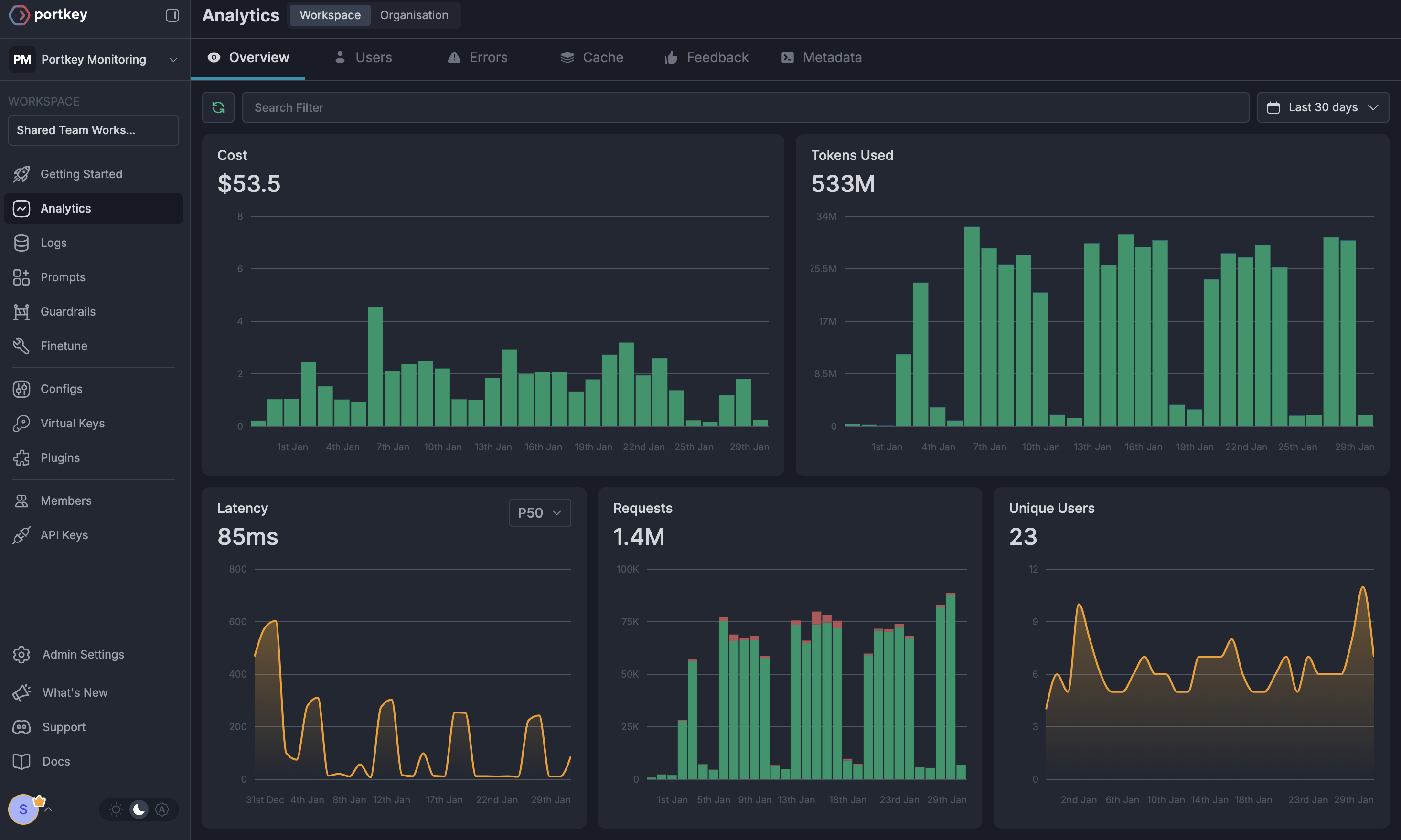
Advanced analytics across providers
Cost tracking and budgets
Performance metrics
Custom dashboards
Token usage analytics
Migration Guide
If youβre already using HoneyHive with OpenAI, migrating to use Portkey is simple:
from openai import OpenAI
from honeyhive import HoneyHiveTracer, trace
HoneyHiveTracer.init(
api_key = 'YOUR_HONEYHIVE_API_KEY' ,
project = 'my-project'
)
@trace
def call_openai ():
client = OpenAI( api_key = "YOUR_OPENAI_KEY" )
return client.chat.completions.create(
model = "gpt-4" ,
messages = [{ "role" : "user" , "content" : "Hello!" }]
)
Resources