

Getting Started
1. Install the required packages
2. Quickstart: Autogen AgentChat with Portkey
Model Catalog
- Portkey now uses Model Catalog instead of Virtual Keys. Reference models directly with
model="@provider_slug/model_name". - Learn more: Upgrade to Model Catalog and Model Catalog.
Production Features
1. Enhanced Observability
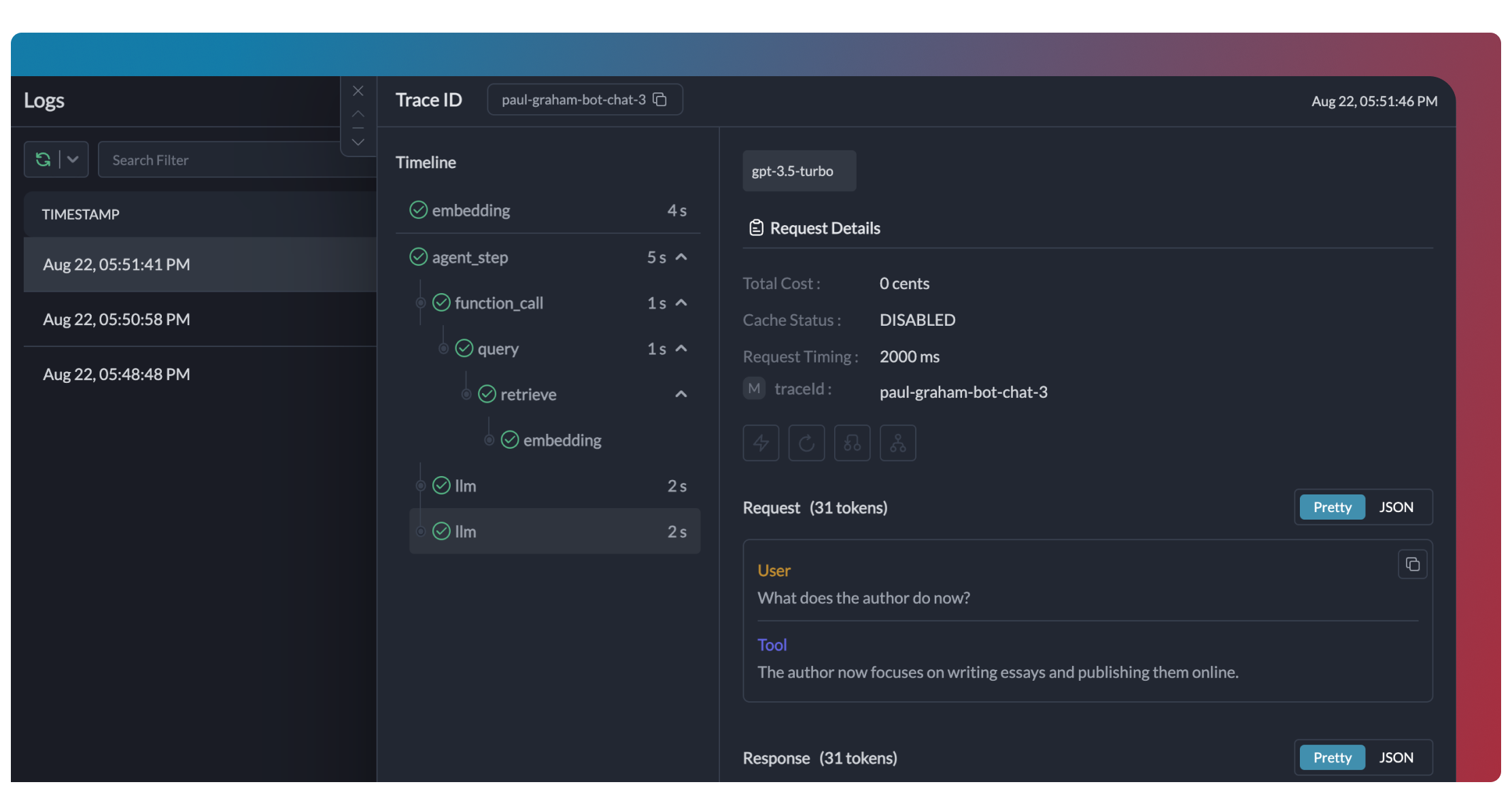
Portkey provides comprehensive observability for your Autogen agents, helping you understand exactly what’s happening during each execution.- Traces
- Logs
- Metrics & Dashboards
- Metadata Filtering


2. Reliability - Keep Your Autogen Agents Running Smoothly
When running agents in production, things can go wrong - API rate limits, network issues, or provider outages. Portkey’s reliability features ensure your agents keep running smoothly even when problems occur. It’s this simple to enable fallback in your Autogen agents:Automatic Retries
Handles temporary failures automatically. If an LLM call fails, Portkey will retry the same request for the specified number of times - perfect for rate limits or network blips.
Request Timeouts
Prevent your agents from hanging. Set timeouts to ensure you get responses (or can fail gracefully) within your required timeframes.
Conditional Routing
Send different requests to different providers. Route complex reasoning to GPT-4, creative tasks to Claude, and quick responses to Gemini based on your needs.
Fallbacks
Keep running even if your primary provider fails. Automatically switch to backup providers to maintain availability.
Load Balancing
Spread requests across multiple API keys or providers. Great for high-volume agent operations and staying within rate limits.
3. Prompting in Autogen Agents
Portkey’s Prompt Engineering Studio helps you create, manage, and optimize the prompts used in your Autogen agents. Instead of hardcoding prompts or instructions, use Portkey’s prompt rendering API to dynamically fetch and apply your versioned prompts.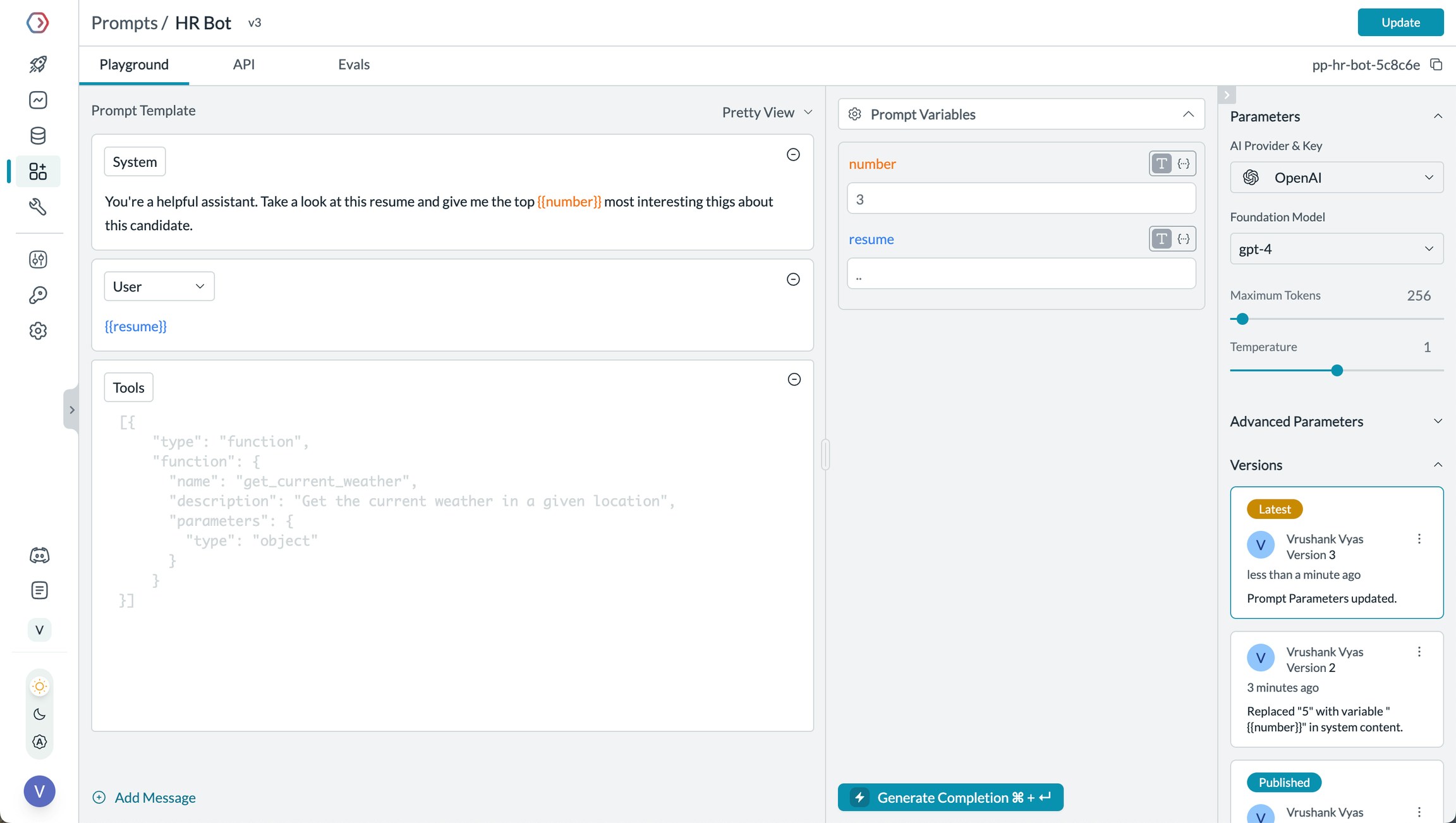
Manage prompts in Portkey's Prompt Library
- Prompt Playground
- Using Prompt Templates
- Prompt Versioning
- Mustache Templating for variables
Prompt Playground is a place to compare, test and deploy perfect prompts for your AI application. It’s where you experiment with different models, test variables, compare outputs, and refine your prompt engineering strategy before deploying to production. It allows you to:
- Iteratively develop prompts before using them in your agents
- Test prompts with different variables and models
- Compare outputs between different prompt versions
- Collaborate with team members on prompt development
Prompt Engineering Studio
Learn more about Portkey’s prompt management features
4. Guardrails for Safe Autogen Agents
Guardrails ensure your Autogen agents operate safely and respond appropriately in all situations. Why Use Guardrails? Autogen agents can experience various failure modes:- Generating harmful or inappropriate content
- Leaking sensitive information like PII
- Hallucinating incorrect information
- Generating outputs in incorrect formats
- Detect and redact PII in both inputs and outputs
- Filter harmful or inappropriate content
- Validate response formats against schemas
- Check for hallucinations against ground truth
- Apply custom business logic and rules
Learn More About Guardrails
Explore Portkey’s guardrail features to enhance agent safety
5. User Tracking with Metadata
Track individual users through your Autogen agents using Portkey’s metadata system. What is Metadata in Portkey? Metadata allows you to associate custom data with each request, enabling filtering, segmentation, and analytics. The special_user field is specifically designed for user tracking.

Filter analytics by user
- Per-user cost tracking and budgeting
- Personalized user analytics
- Team or organization-level metrics
- Environment-specific monitoring (staging vs. production)
Learn More About Metadata
Explore how to use custom metadata to enhance your analytics
6. Caching for Efficient Agents
Implement caching to make your Autogen agents more efficient and cost-effective:- Simple Caching
7. Model Interoperability: using different LLMs
One of Portkey’s key strengths is providing access to 1600+ LLMs through a unified interface. Here’s how to use different providers with Autogen:Supported Providers
See the full list of LLM providers supported by Portkey
- OpenAI
- Anthropic
- Google
Set Up Enterprise Governance for Autogen agents
Why Enterprise Governance? If you are using Autogen agents inside your organization, you need to consider several governance aspects:- Cost Management: Controlling and tracking AI spending across teams
- Access Control: Managing which teams can use specific models
- Usage Analytics: Understanding how AI is being used across the organization
- Security & Compliance: Maintaining enterprise security standards
- Reliability: Ensuring consistent service across all users
Step 1: Implement Budget Controls & Rate Limits
Step 1: Implement Budget Controls & Rate Limits
Step 1: Implement Budget Controls & Rate Limits
Model Catalog enables you to have granular control over LLM access at the team/department level. This helps you:- Set up budget limits
- Prevent unexpected usage spikes using Rate limits
- Track departmental spending
Setting Up Department-Specific Controls:
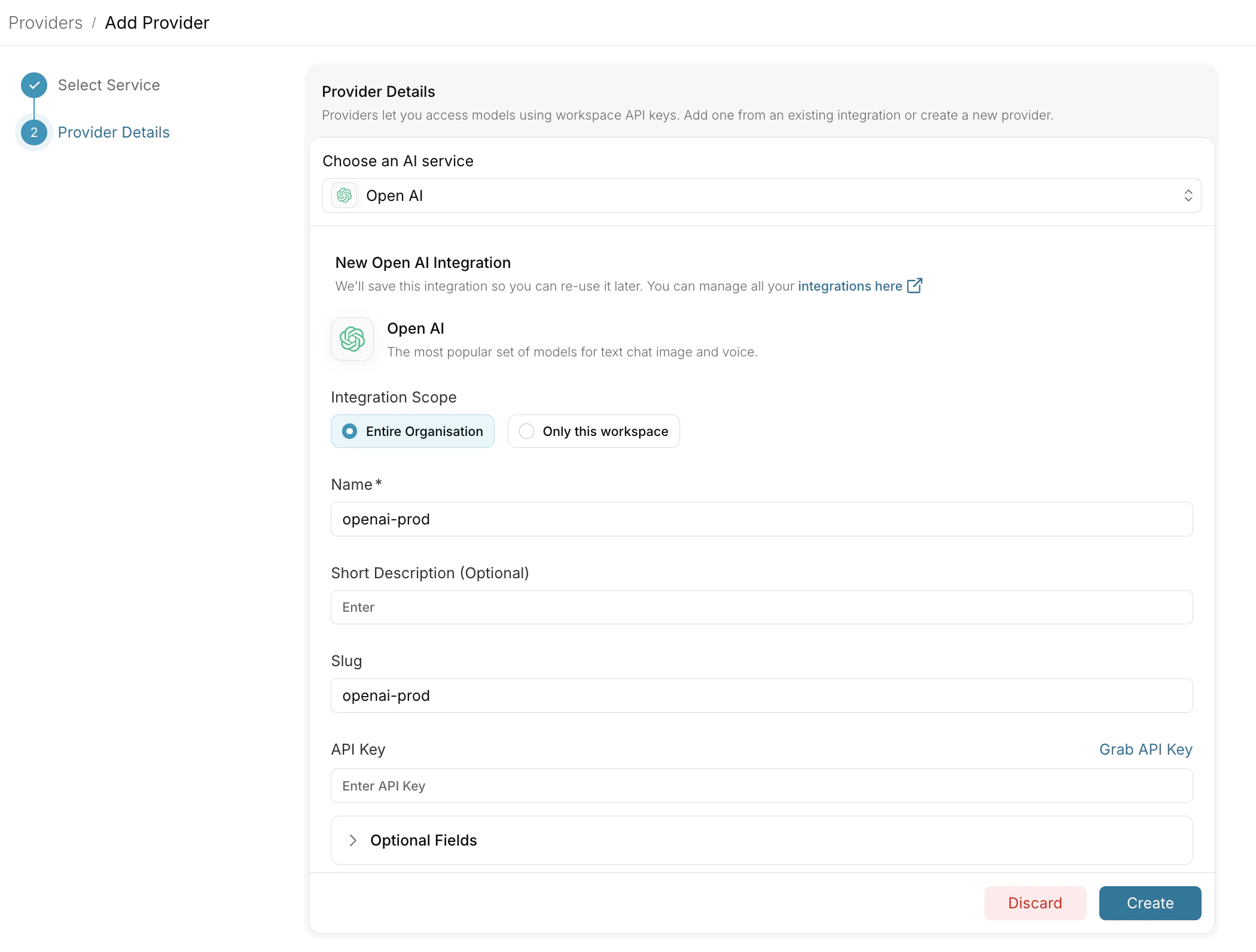
- Navigate to Model Catalog in Portkey dashboard
- Create new Provider for each engineering team with budget limits and rate limits
- Configure department-specific limits
Step 2: Define Model Access Rules
Step 2: Define Model Access Rules
Step 2: Define Model Access Rules
As your AI usage scales, controlling which teams can access specific models becomes crucial. You can simply manage AI models in your org by provisioning model at the top integration level.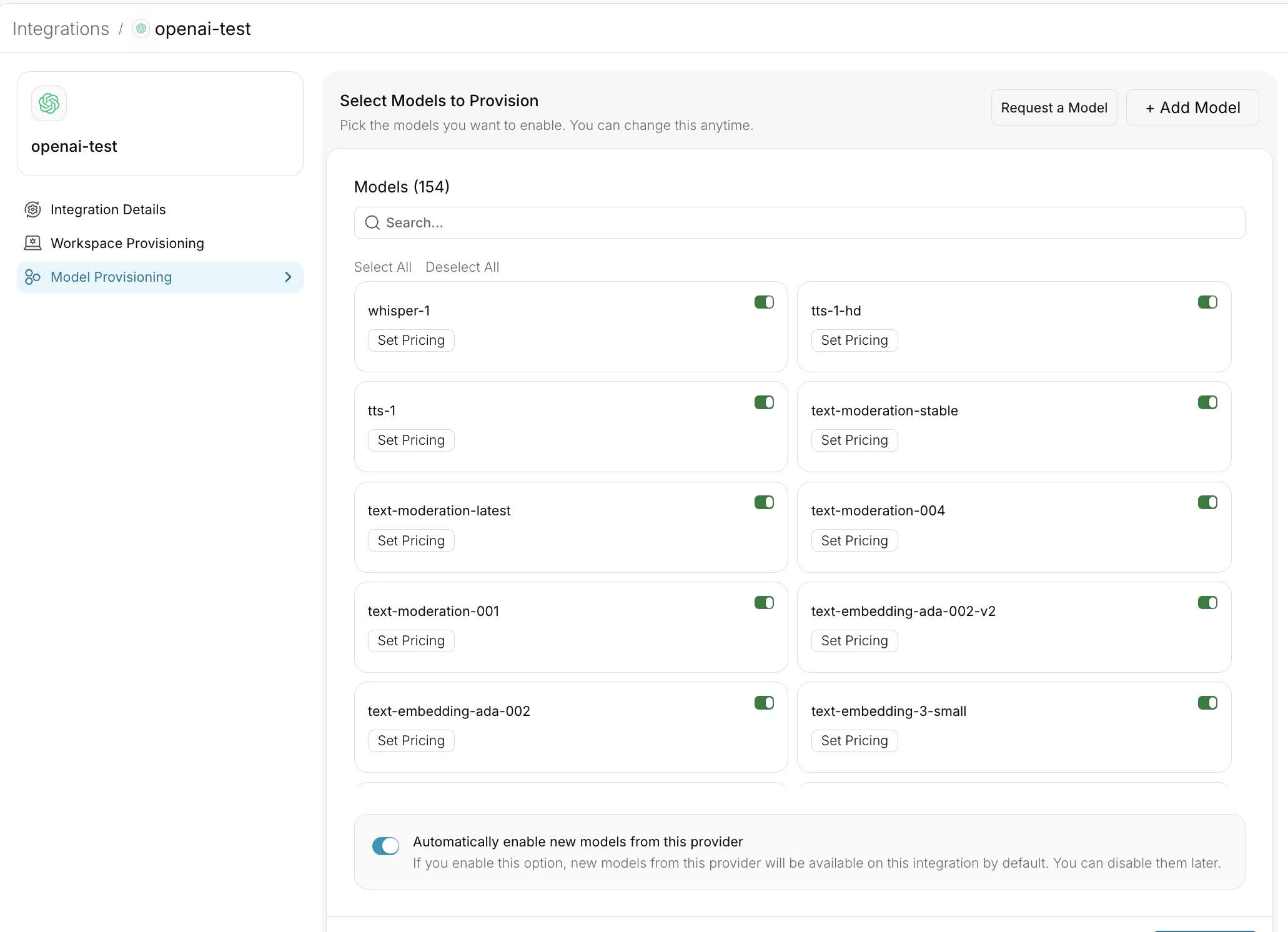
Step 4: Set Routing Configuration
Step 4: Set Routing Configuration
Portkey allows you to control your routing logic very simply with it’s Configs feature. Portkey Configs provide this control layer with things like:Create your config on the Configs page in your Portkey dashboard. You’ll need the config ID for connecting to your Autogen setup.
- Data Protection: Implement guardrails for sensitive code and data
- Reliability Controls: Add fallbacks, load-balance, retry and smart conditional routing logic
- Caching: Implement Simple and Semantic Caching. and more…
Example Configuration:
Here’s a basic configuration to load-balance requests to OpenAI and Anthropic:Configs can be updated anytime to adjust controls without affecting running applications.
Step 4: Implement Access Controls
Step 4: Implement Access Controls
Step 3: Implement Access Controls
Create User-specific API keys that automatically:- Track usage per developer/team with the help of metadata
- Apply appropriate configs to route requests
- Collect relevant metadata to filter logs
- Enforce access permissions
Step 5: Deploy & Monitor
Step 5: Deploy & Monitor
Step 4: Deploy & Monitor
After distributing API keys to your engineering teams, your enterprise-ready Autogen setup is ready to go. Each developer can now use their designated API keys with appropriate access levels and budget controls. Apply your governance setup using the integration steps from earlier sections Monitor usage in Portkey dashboard:- Cost tracking by engineering team
- Model usage patterns for AI agent tasks
- Request volumes
- Error rates and debugging logs
Enterprise Features Now Available
Autogen agents now have:- Departmental budget controls
- Model access governance
- Usage tracking & attribution
- Security guardrails
- Reliability features
Frequently Asked Questions
How does Portkey enhance my Autogen agents?
How does Portkey enhance my Autogen agents?
Portkey adds production-grade features to Autogen agents including comprehensive observability (traces, logs, analytics), reliability (fallbacks, retries, load balancing), access to 1600+ LLMs, cost management, and enterprise governance - all without changing your agent logic.
Can I use any LLM with Autogen through Portkey?
Can I use any LLM with Autogen through Portkey?
Yes! Portkey provides access to 1600+ LLMs from providers like OpenAI, Anthropic, Google, Cohere, and many more. Just change the model ID in your configuration to switch between providers.
How do I track costs for different agents?
How do I track costs for different agents?
Portkey automatically tracks costs for all LLM calls. You can segment costs by agent type, user, or custom metadata. Set up AI Provider integrations with budget limits to control spending on Model Catalog.
Does Portkey support all Autogen features?
Does Portkey support all Autogen features?
Yes! Portkey works seamlessly with Autogen’s tool use and agent workflows. It adds observability and reliability without limiting any Autogen functionality.
How do I debug agent failures?
How do I debug agent failures?
Portkey’s detailed logs and traces make debugging easy. You can see the complete execution flow, including failed tool calls, LLM errors, and retry attempts. Filter by trace ID or metadata to find specific issues.
Resources
Autogen Documentation
Learn more about building agents with Autogen
Portkey Features
Explore all Portkey capabilities
Portkey is now PRISMA AIRS AI Gateway. See it in action.
Contact Us